Account
How to delete your CalcItUp account
If you would like to delete your account in the CalcItUp app, follow these steps:
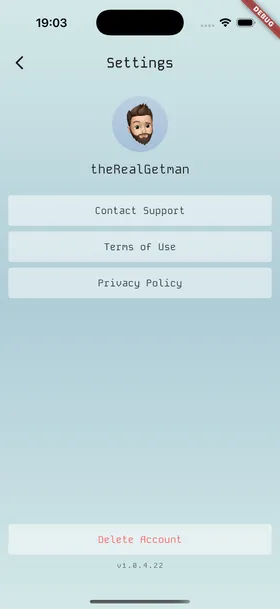
- Open the CalcItUp app on your device and go to the Settings screen.
- Scroll to the bottom of the page and tap Delete Account.
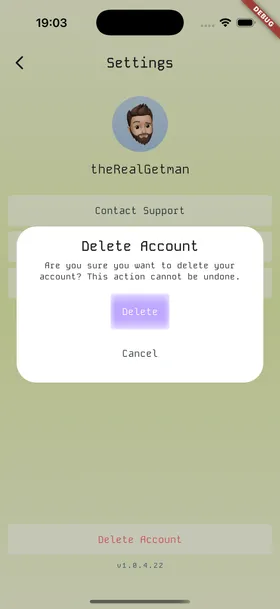
- A confirmation dialog will appear asking, “Are you sure you want to delete your account? This action cannot be undone.”
- If you are sure, tap Delete to confirm. Otherwise, tap Cancel.
Deleting your account is permanent and cannot be undone. All your data will be permanently removed from our servers.
Visual guide
-
Step 1: Open Settings
-
Step 2: Confirm deletion
If you run into any issues, contact our support team at [email protected].